
Create a variable in the flow
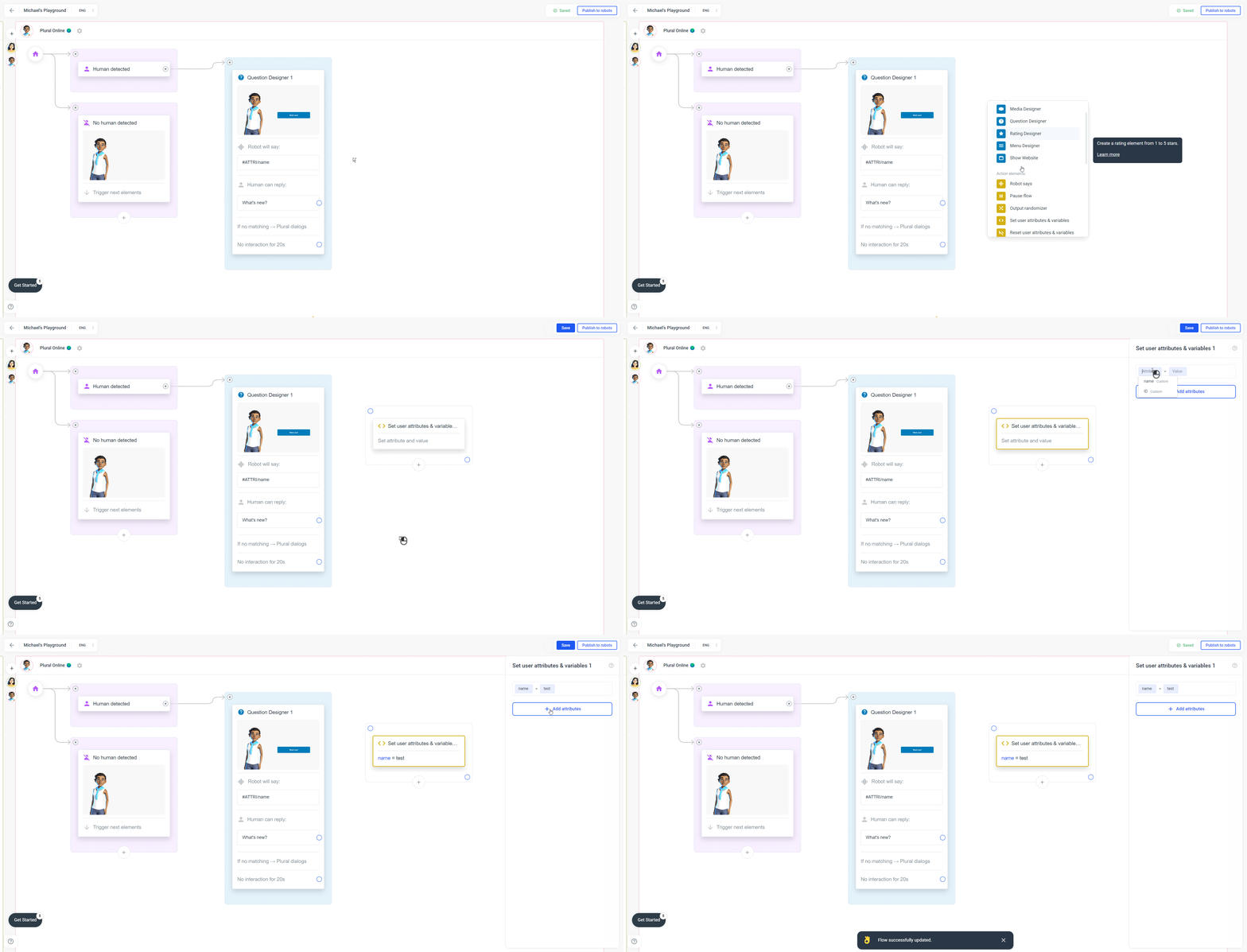
- Open the flow in Plural.
- Add the Set user attributes & variables element.
- Create a variable, for example
name. - Save the element.
Use the variable in text
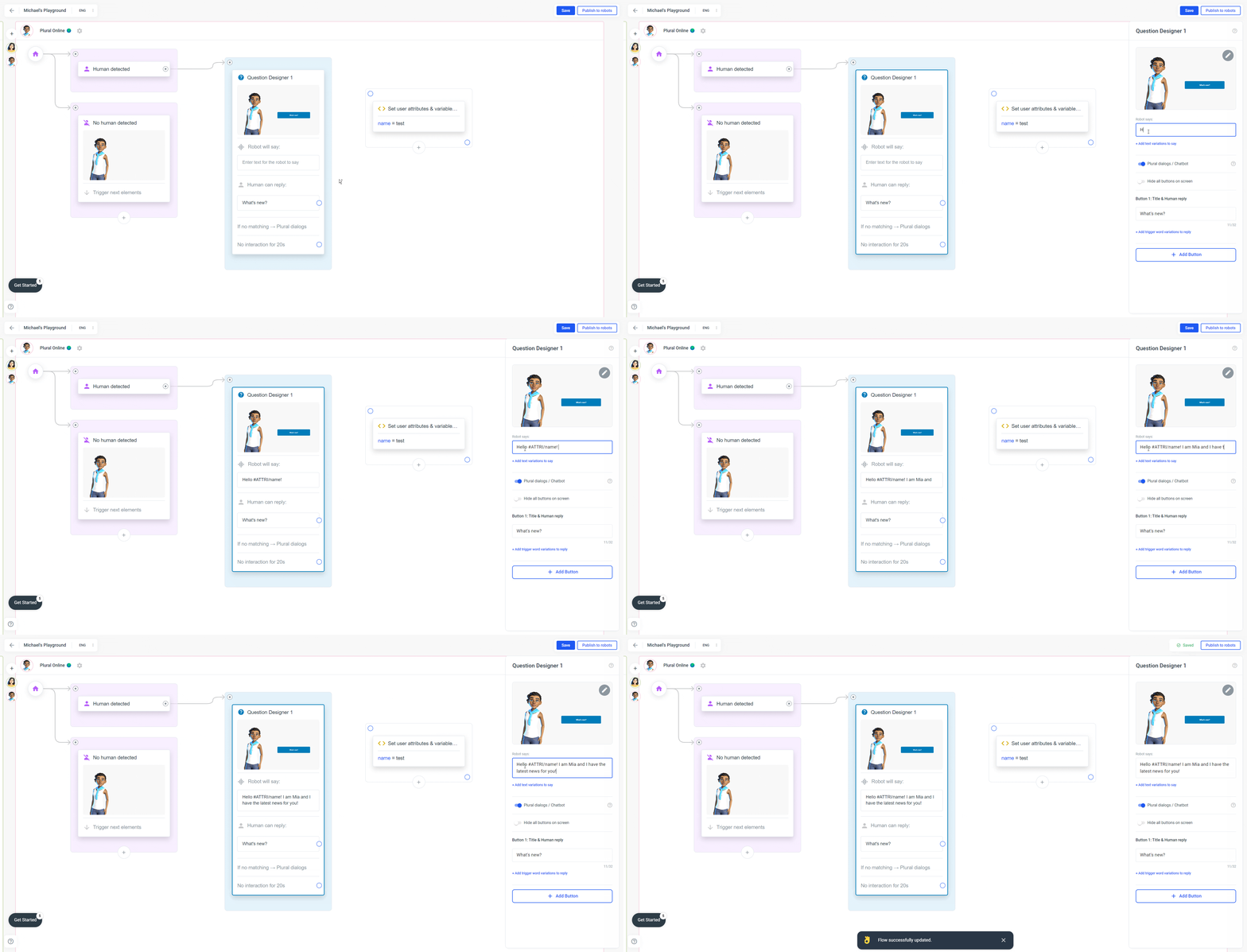
- Open the text where the personal value should appear.
- Use the shortcode
#ATTRI/name. - Save the change.
Hello #ATTRI/name! I am Mia.
Add the parameter to the avatar link
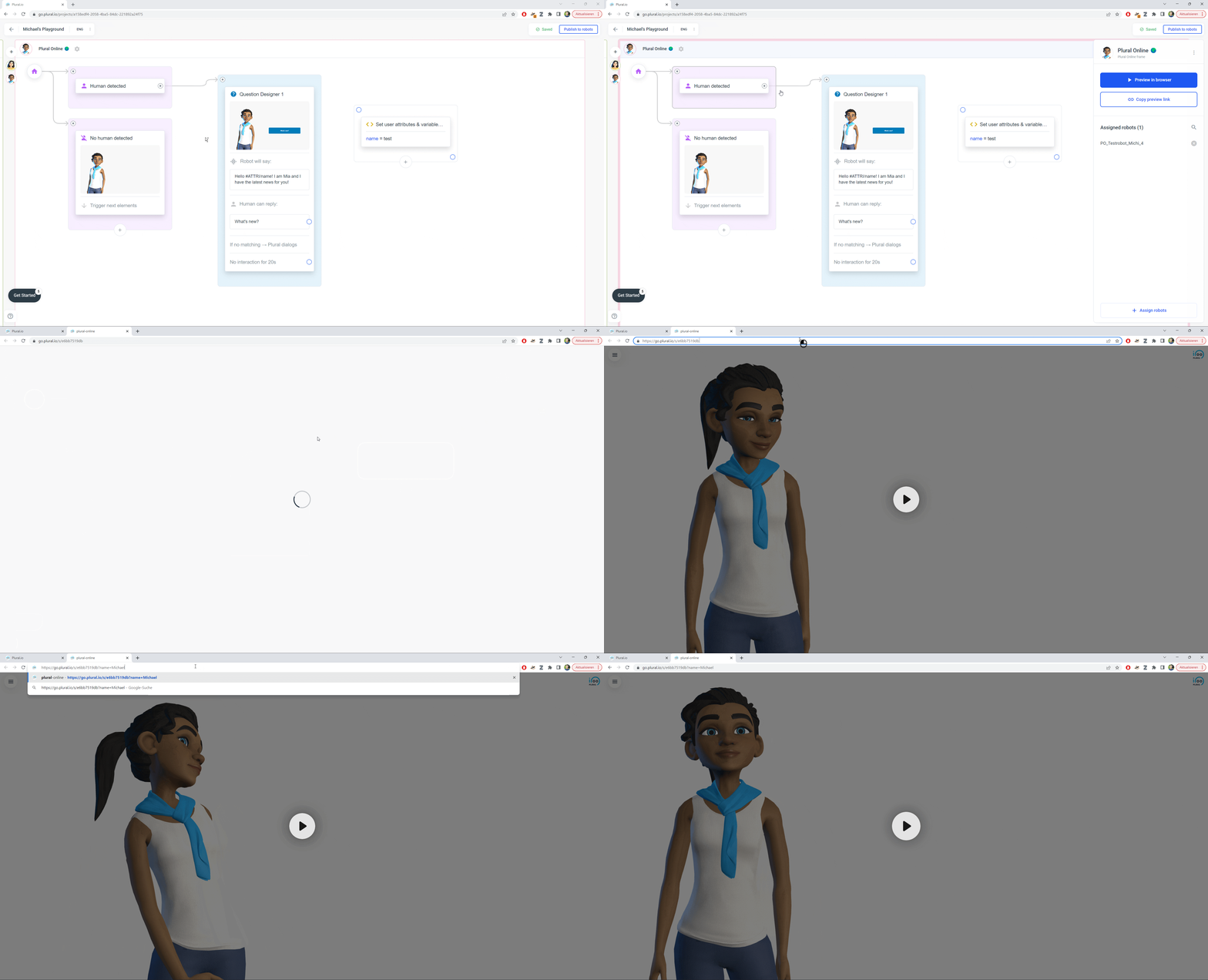
- Open the avatar preview in your browser.
- Copy the avatar link from the address bar.
- Add the parameter to the end of the URL:
?name=Michael. - For multiple values, use
&, for example?name=Michael&month=October.
 Note: The variable must exist in the flow, even if the element is not connected to other elements.