
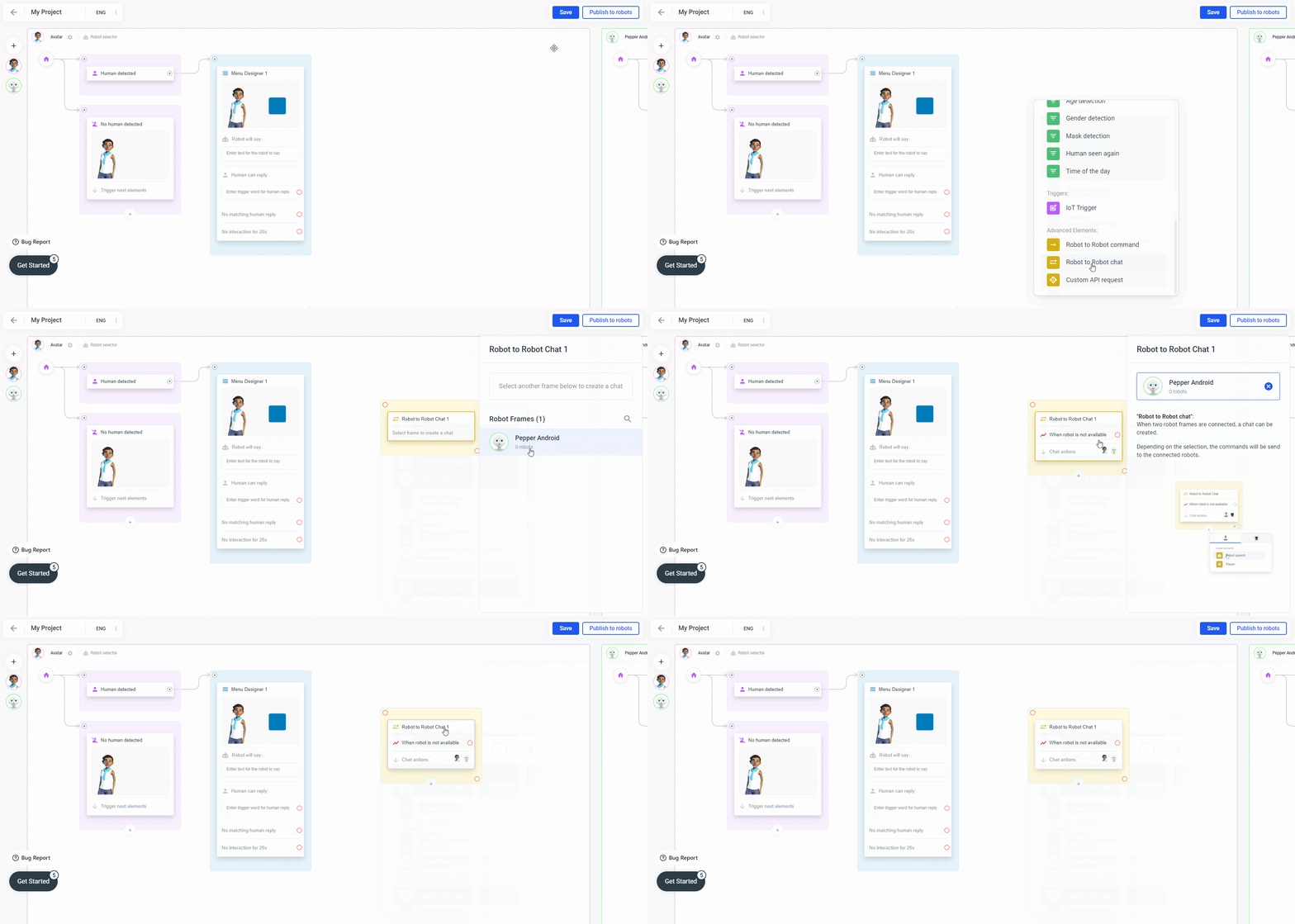
 As soon as you have selected the frame you can add speech interactions to your Robot to Robot Chat by clicking the Plus symbol at the bottom of the element. This adds a robot speech for the currently selected device.
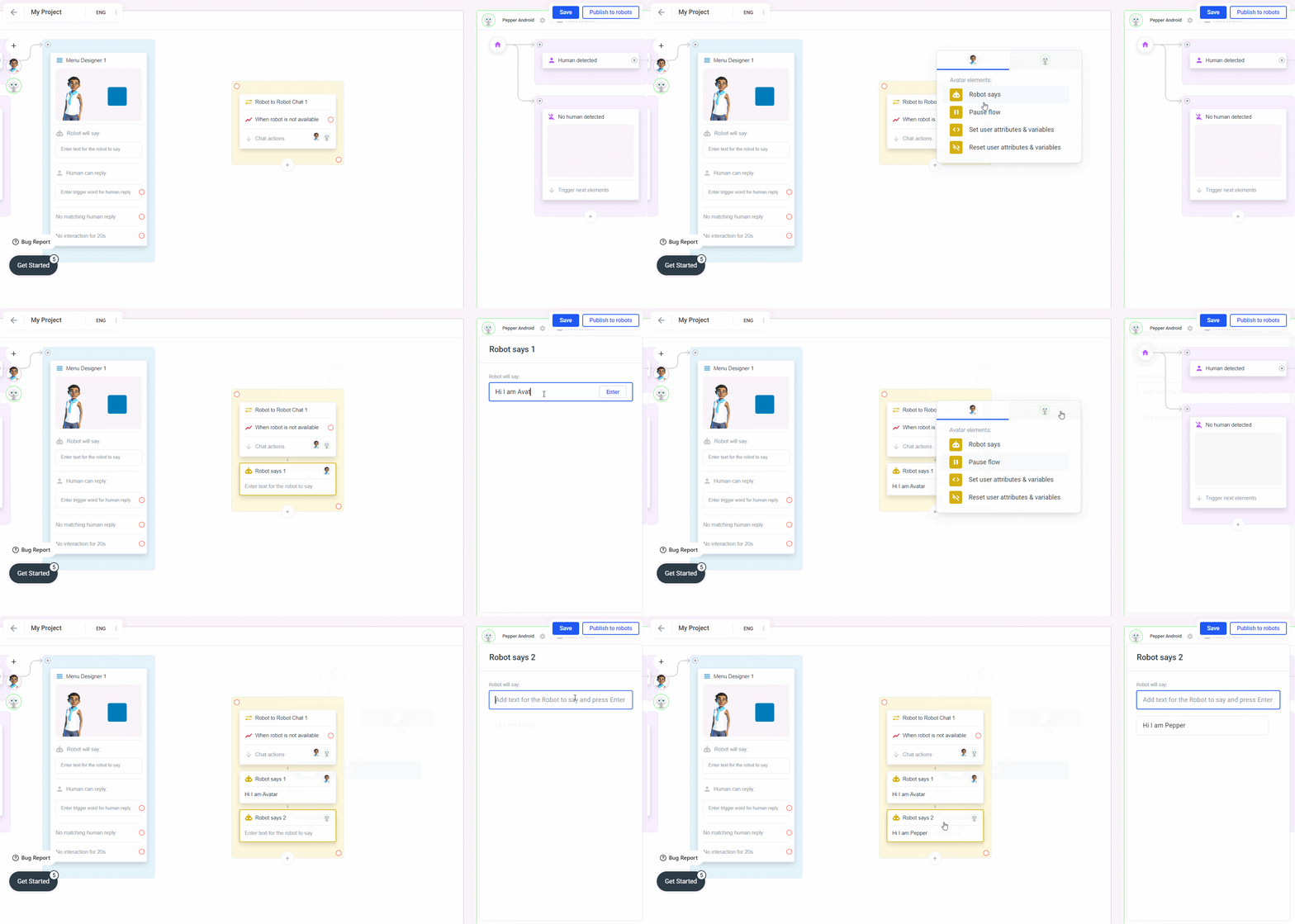 If the other device is not available you can connect the “Robot isn’t available” output to another element like a slide that gives feedback to the user that the other robot is currently not reachable.