
Install the Kiosk application
- Open Google Chrome on your Chromebase
- Open this link: https://chrome.google.com/webstore/detail/kiosk/afhcomalholahplbjhnmahkoekoijban/
- Click on Launch App
- The Kiosk mode should now start and look something like t
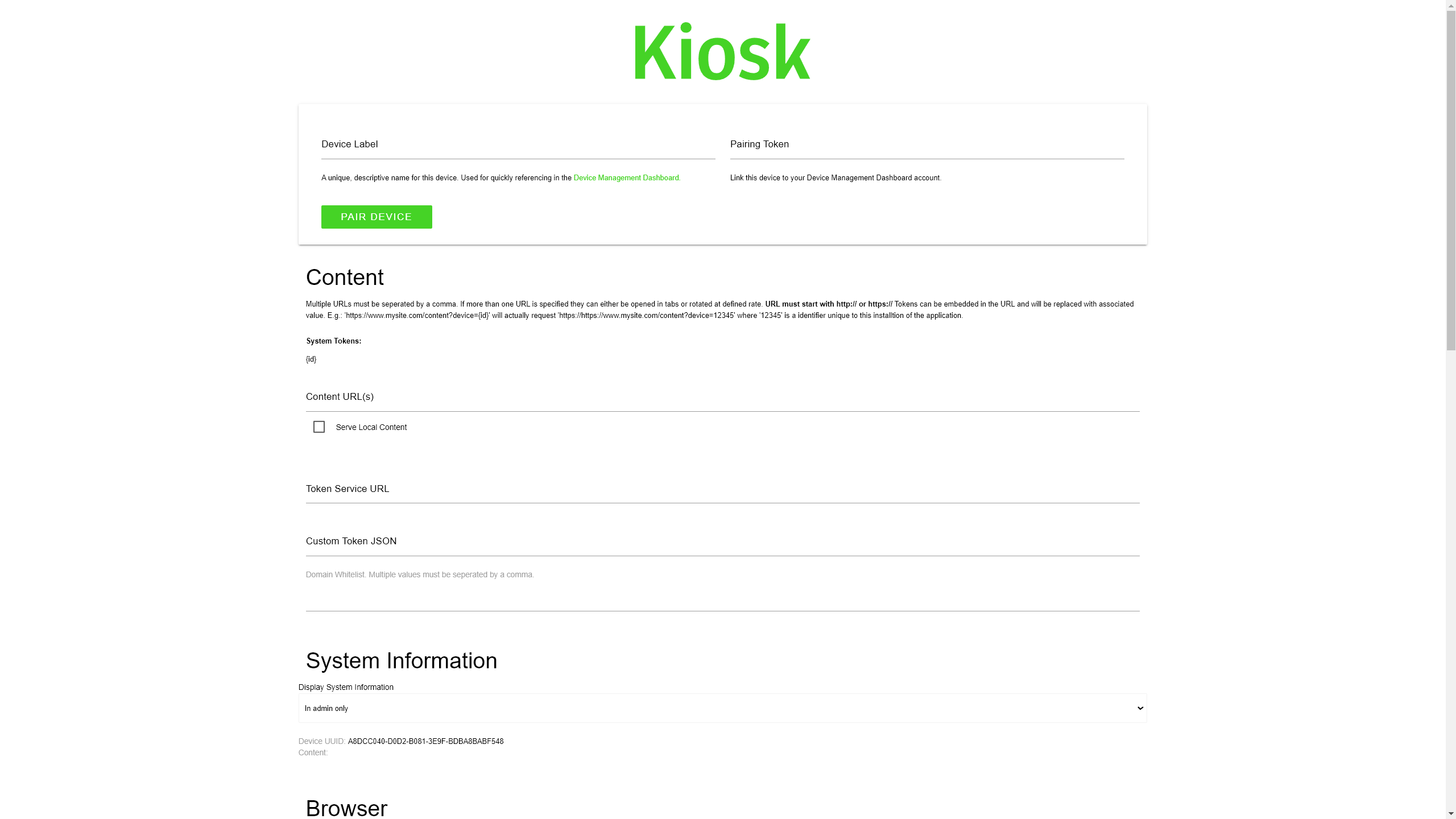
Set Up the KIOSK Mode
- Launch the Kiosk application
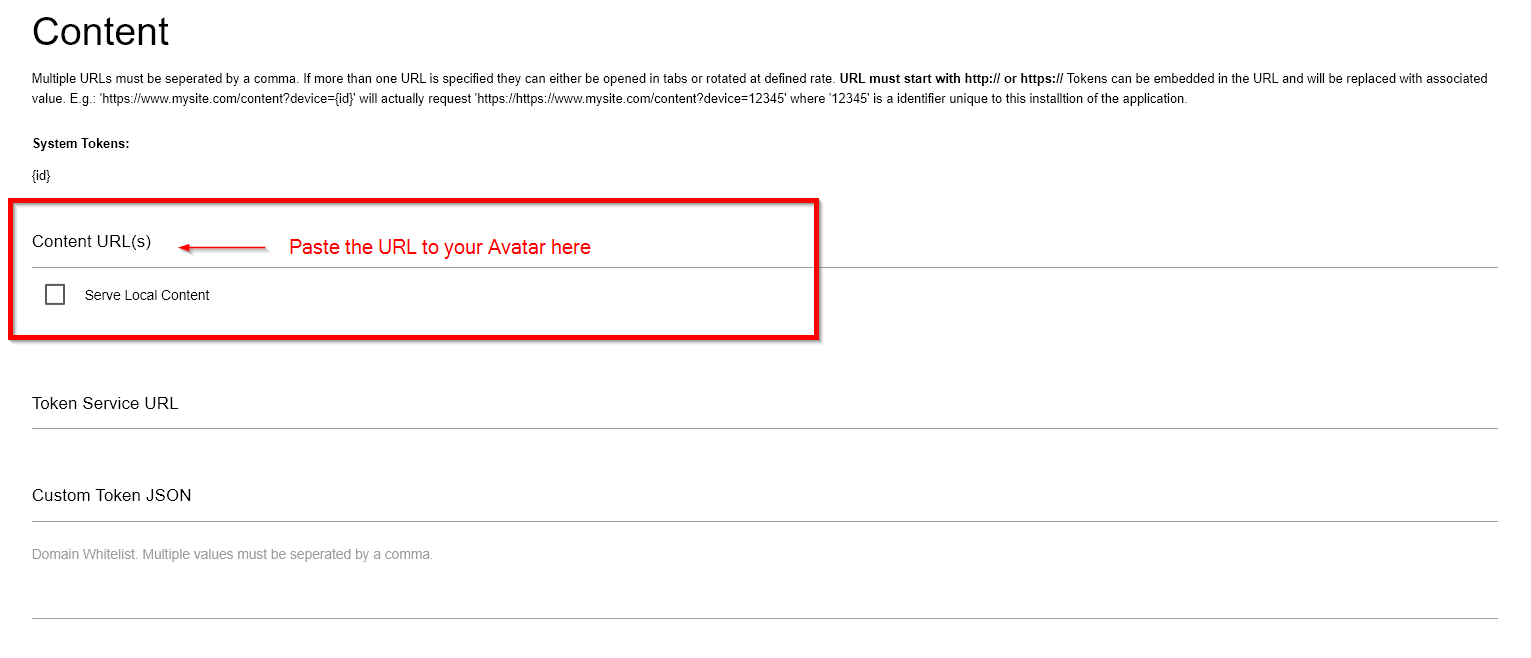
- Go to the content URL section and paste the link to your Avatar
- Scroll down to the Administration section
- Input a username and a password of your choice
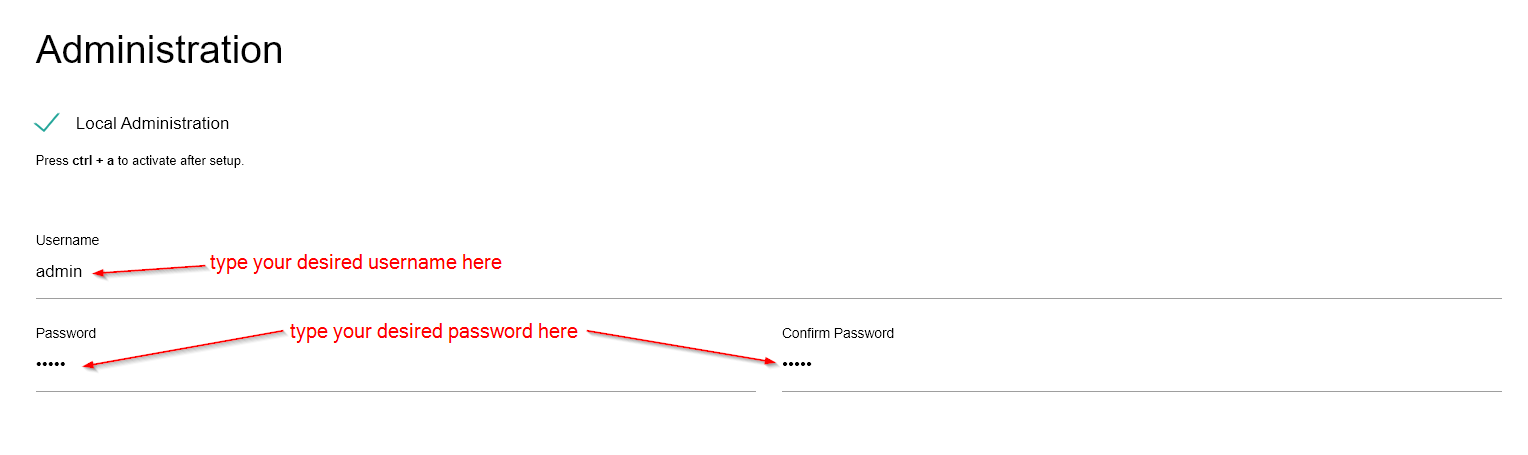
- Write down your username and password on another device. (You will need this username and password to be able to exit the Kiosk application again)
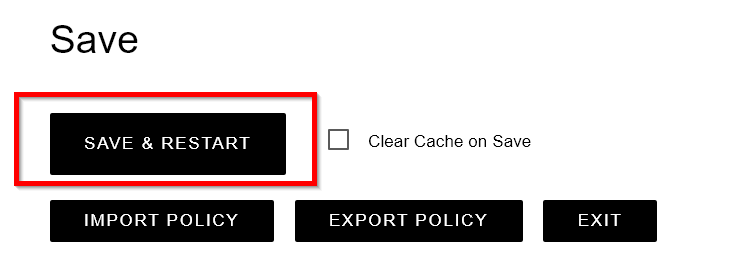
- Scroll to the bottom of the page and click on Save & Restart.
Exit the Kiosk mode
- Connect a Keyboard to your HP Chromebase.
- Press the Ctrl+A key combination.
- Enter your username and password.
- Scroll to the bottom and click on Exit.