
- During the boot process, press F2 to enter the BIOS setup.
- Go to Power > Secondary power settings.
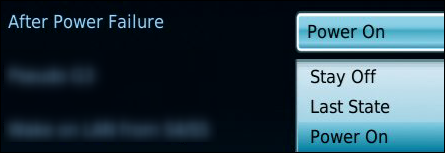
- Set the option for “After power failure” to “on”.
- Press F10 to save the changes and exit the BIOS.
Setup the NUC to switch on automatically when a power source is connected: